Appointment & booking forms
Let people pick an available date and time slot right on your form. Set your weekly opening hours, add seasonal availability or exceptions, and define capacity per slot. FormFinch checks availability at submit so slots cannot be double booked.

Pick a template with pre-configured time slots and adjust the opening hours and capacity to fit your schedule.
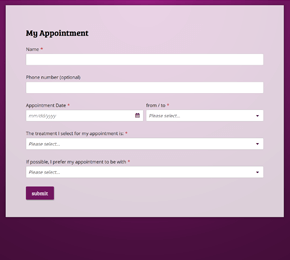
Let clients pick an open time slot during your weekly opening hours, with exceptions for holidays or days off.
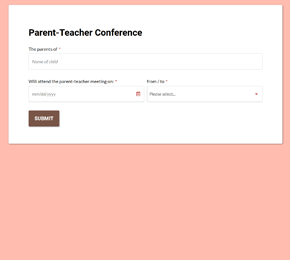
Offer short time slots for parent evenings where each slot holds one family and closes as soon as it is booked.
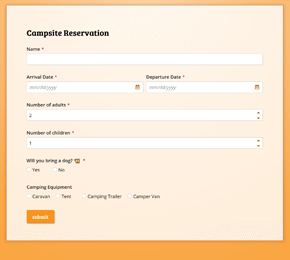
Use seasonal availability and multiple units per slot so guests can reserve pitches up to a year in advance.
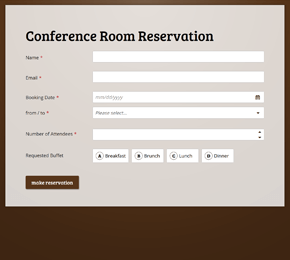
Let teams reserve a room for a specific time slot, with overbooking checks at submit to prevent double bookings.
Add the Appointment & booking component to your form. Define your weekly opening hours and slot duration. Bookings are possible up to a year ahead.
Set how many units are available in each slot, from one-on-one appointments to group capacity. Add date exceptions or seasonal schedules where needed.
Publish your form link or embed it on your site. When someone submits, FormFinch checks live availability so the same slot cannot be booked twice.
Capacity is verified the moment a respondent submits the form. Once all units in a time slot are taken, that slot is no longer available to others. Read booking guide
Accept bookings for this week or up to a full year in advance. Combine weekly schedules with seasonal availability and specific date exceptions.
Bookings are stored in the EU on Microsoft Azure. FormFinch adds no tracking cookies, so no cookie banner is needed for FormFinch itself.
Try booking forms on the Free plan with 1 published form and 50 submissions a month. Paid plans start at €19/month incl. VAT, or pay in advance. View pricing