Forms with Stripe payments
Connect your own Stripe account and accept one-time payments directly on your form. Show preset amounts or let respondents enter a custom amount, with iDEAL, cards and other methods from your Stripe account. FormFinch charges a 0% platform fee.

Start with a template where the respondent picks one option or enters an amount and pays right away.
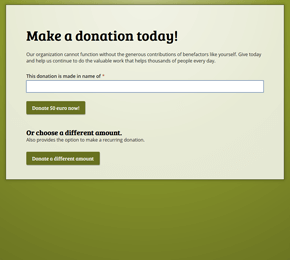
Offer preset donation amounts alongside an optional custom amount, paid straight into your Stripe account.
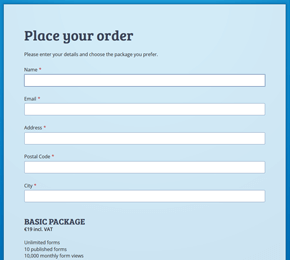
Sell a fixed box or package where the buyer chooses one option per order and pays at checkout via Stripe.
Add the Payment component and set your preset amounts, plus an optional custom amount field. The respondent selects a single amount for their one-off payment.
Link your Stripe account via Stripe Connect. Test the full checkout flow on the Free plan, and switch to live payments when you upgrade to a paid plan.
Respondents pay with iDEAL, cards or other methods enabled in your Stripe account. Submissions show a Payment column, included when you export to CSV or Excel.
Payments go directly into your own Stripe account via Stripe Connect. FormFinch charges 0% commission on your transactions; only standard Stripe fees apply.
Show the payment methods you have enabled in Stripe, including iDEAL and cards. Payments are one-off only, without recurring subscriptions or a shopping cart. Read payment guide
Build and test your payment form in test mode on the Free plan. Accepting live payments requires a paid plan, starting at €19/month incl. VAT on Basic. View pricing
Every submission shows its payment state in a dedicated Payment column in the submissions overview, and that payment status is included in your CSV and Excel exports.