
Whether you work in a primary school office, help on the parents’ committee, or handle administration as a sports club secretary, you collect personal data throughout the year. Parents register a child, members enter a tournament, and volunteers share their contact details. Under the GDPR, you want to handle that information carefully without creating extra paperwork. This guide covers practical privacy habits for everyday GDPR forms and explains what FormFinch handles for you. It is a practical overview rather than legal advice, so check your own organisation’s policy if you have legal questions.
Why a careful form matters for a school or club
In many schools and clubs, registrations still arrive on paper slips, in shared spreadsheets, or as email attachments passed between volunteers. Paper lists can be left on a desk, and forwarded emails scatter names, dates of birth, and notes about children or members across several inboxes.
Using one online form instead of paper lists and email attachments keeps all responses in one place. Respondents send their details over a secure connection (https), and you manage the list from your account overview. That makes it much easier to see what you hold and to remove it when an event is over.
Ask only what you need
A good privacy habit is to ask only for details you genuinely need for the activity. Before publishing a form, check each question and ask who will use the answer. If you do not need a date of birth or home address for an open evening, leave those fields out. Fewer questions also make the form quicker for parents and members to fill in.
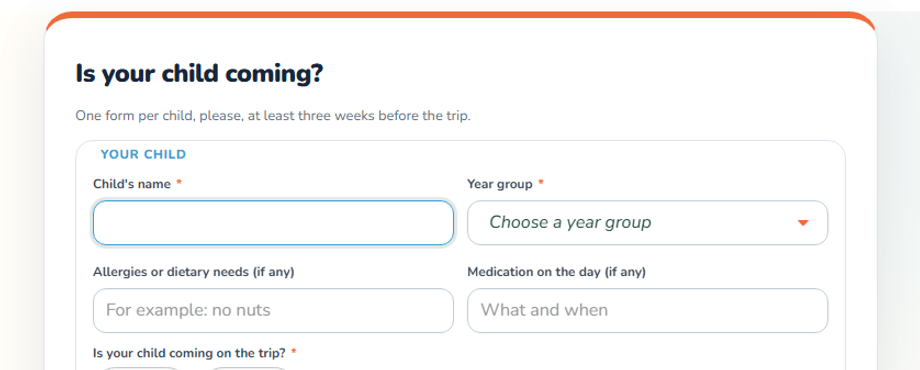
Sometimes an extra question only applies to certain people, such as dietary needs or medical details for a camp or school trip. With conditional logic, you can show a follow-up question only when it applies, so other people do not see it. If a follow-up field stays hidden when the form is sent, hidden answers are not stored in the submission.
No tracking cookies from FormFinch
When parents or members open your registration link, they just want to fill in the form. FormFinch adds no tracking cookies, so no cookie banner is needed for FormFinch itself. Published forms load no tracking or analytics scripts.
Keep one exception in mind if you add a video to your form. A Video component in Standard mode loads YouTube or Vimeo with the form, and those providers can set cookies. Choose Privacy first instead: then nothing loads from the video provider until the respondent clicks play.
Where the data is stored and who handles it
When you collect personal data from children, parents, or members, it matters where that data lives and who processes it. FormFinch comes from FormFinch VOF in Veenendaal, the Netherlands, and has been online since 2017. All account data and the data you create is stored on Microsoft Azure in the West Europe region, in the Netherlands, inside the EU. Details on how account information is handled are in the privacy statement.
Under the GDPR, your school or club also needs a processor agreement with the form provider. FormFinch’s terms and conditions include an Article 28 GDPR processor agreement. It applies automatically to your account, so there is no separate document to request or sign.
Keep the list clean afterwards
Careful data handling continues after the registrations arrive. You can see incoming responses in the submissions overview and add private submission notes for your own administration. Respondents never see them, and notes are not in the export when you export submissions to Excel or CSV.
When the sign-up period is over, start by closing a form. Visitors then see a message that the form no longer accepts submissions, while existing submissions stay in your account. Once the activity has passed and you no longer need the list, clean it up by viewing and deleting submissions. You can delete a single submission with the trash icon or select several and delete them in one step. Deletion is permanent.
Ready-made forms for schools and clubs
You do not have to build every form from scratch. FormFinch offers templates for forms for primary schools, including school enrolment, school open day, school leave request, school trip consent, and parent-teacher conference (ten-minute talk). There are also templates for forms for sports clubs, including cricket club membership, junior tennis camp, tennis tournament entry, and running event registration. Pick a template, remove any questions you do not need, and adjust it for your school or club.
Careful habits and a clear form help you look after the personal data your community trusts you with.